

Platform / Food safety
Food safety
The log an inspector asks for, kept while you work.
Temperatures, receiving, sanitizer checks and cooling go into one log as the shift happens, each with who and when. A bad reading is written down, flagged, and left open until someone records what was done about it. A handheld probe can send its reading straight into the right record.
One log for the whole kitchen
Temperature checks, receiving with supplier and lot code, sanitizer strength and corrective actions all land in the same append-only record.
- Each entry stores whether a manager was clocked in at that moment. It never blocks a log.
- Readings are judged in °F whatever the screen shows, so a °C thermometer isn't compared to a rounded limit.
- The log prints, or saves as a PDF, for an inspector.
Cooling on the server's clock
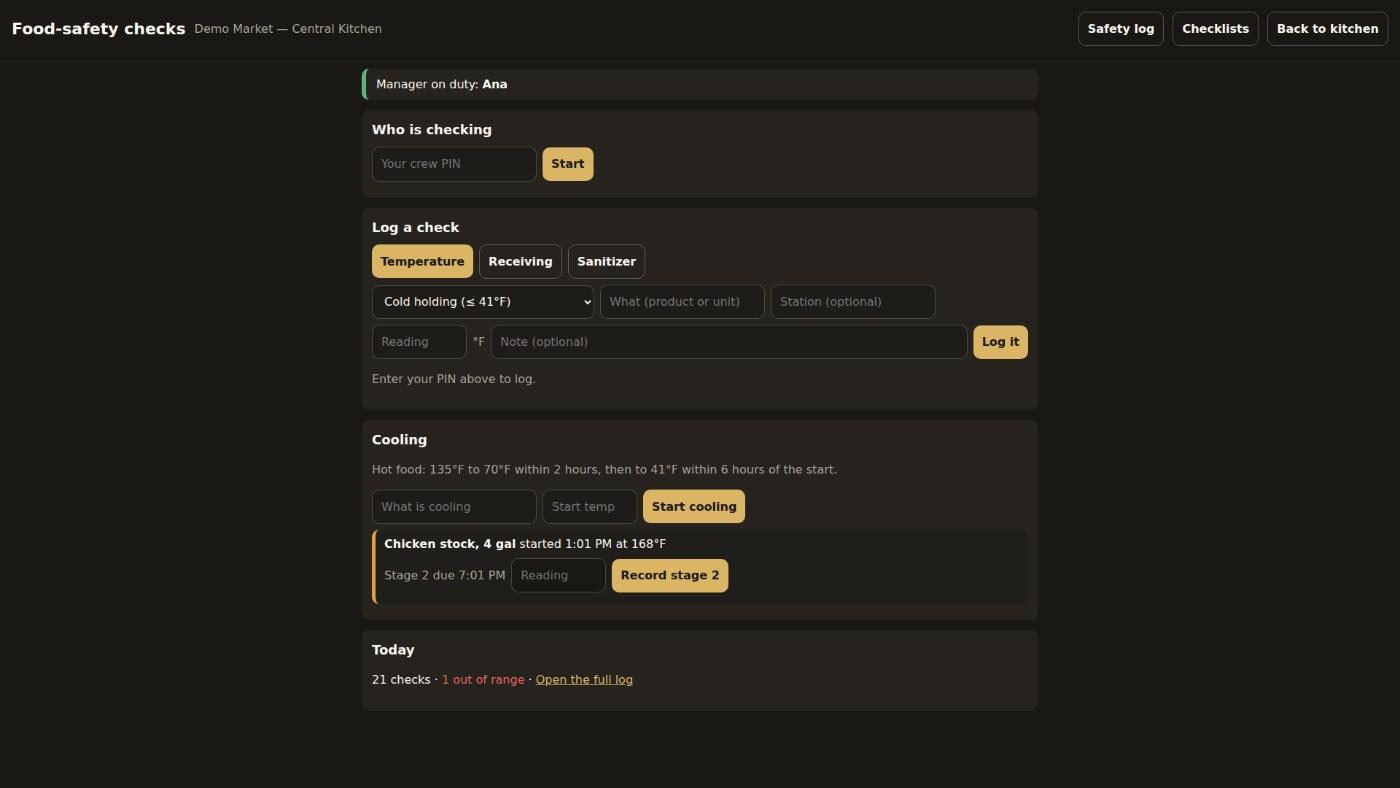
Two-stage cooling is timed by the server. Each stage is recorded once, and a stage that goes past due without a check counts as a failure.
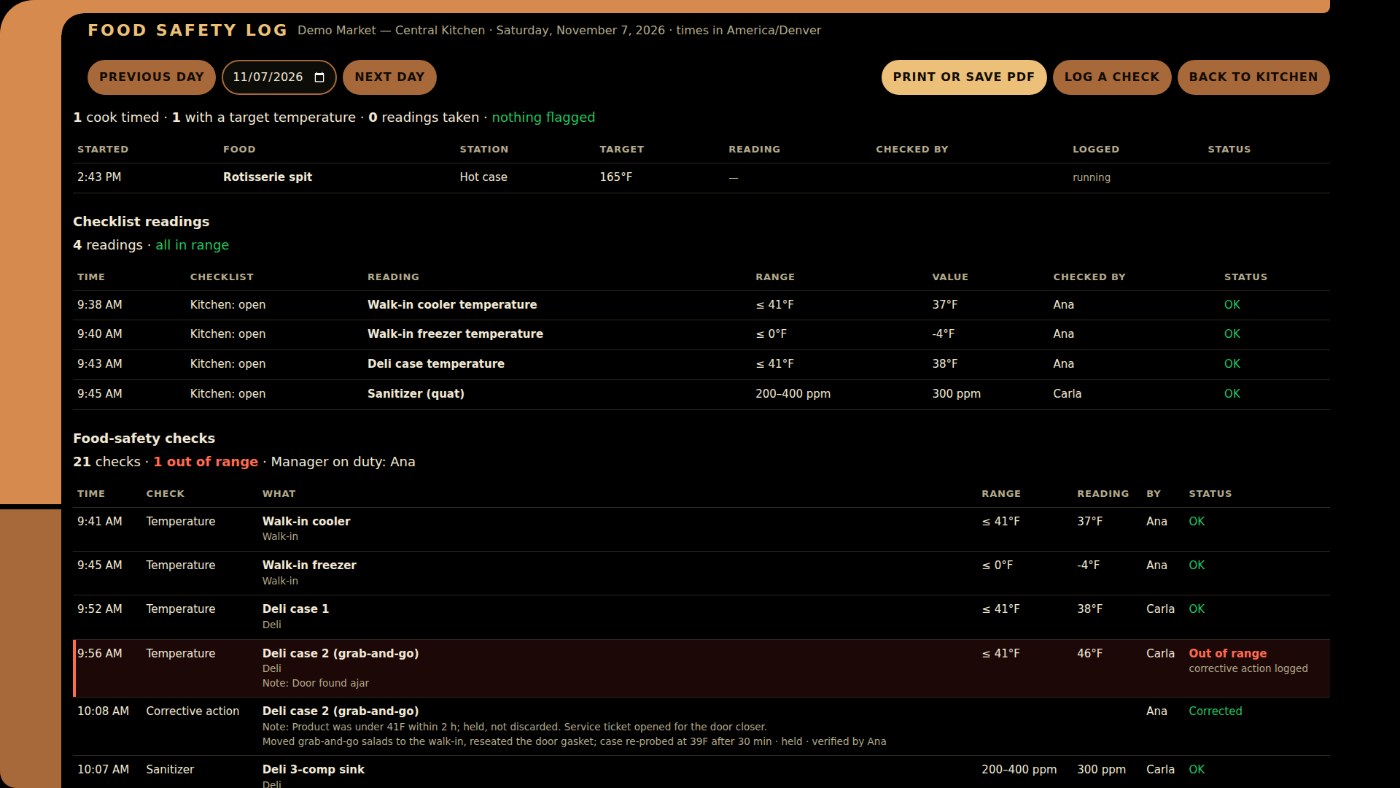
CHEF screen, sample data. Click to see it full size.
Bad numbers stay on the page
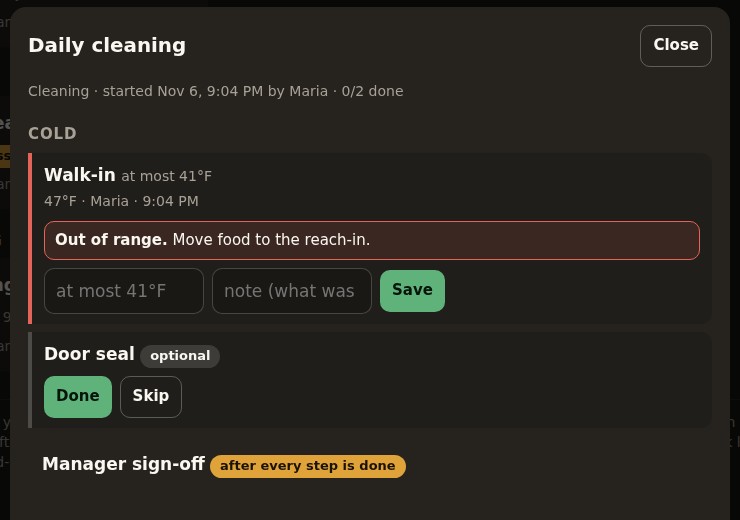
A failing reading is never edited and never refused. It stays open until a corrective entry says what was done and what became of the food: held, reheated, discarded or other.
Handheld probe capture
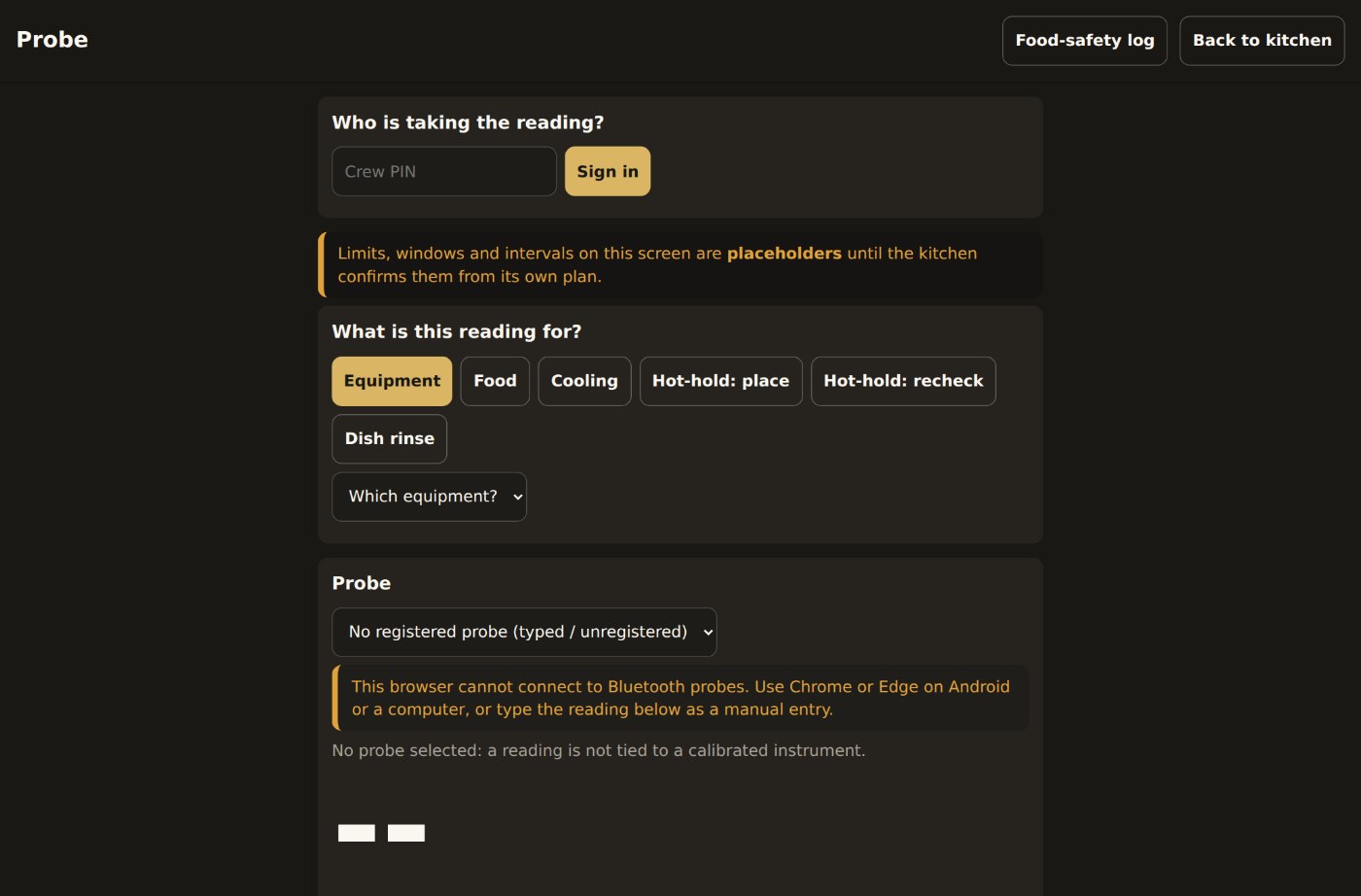
Pick what the reading is for, watch the live number, and record it with one tap into the record that owns it: a receiving check, a cooling stage, a hot-hold re-temp, a fryer or a dish-machine rinse.
- Works with probes that speak the standard Bluetooth thermometer service, in Chrome on Android and desktop. Typed entry is always on screen and marked as manual.
- Record stays greyed out until the reading holds steady, and the server checks that too.
- After a FAIL, the next reading of the same thing waits for a choice: keep cooking, reheat, discard or re-probe.
- Ice-point calibration per probe. An overdue probe is flagged on every reading.
- Fryer oil quality can be typed in from a separate meter, against change limits you set.
More screens
Real CHEF screens on sample data. Click any one to see it full size.
How it works
Crew sign in with their PIN and log checks as they happen, or record them from a probe.
Anything out of range is flagged red and stays open on the log.
Someone records the corrective action and what happened to the food.
Cooling batches are checked at each stage against the server clock.
At inspection time, print the log or save it as a PDF.
What you can change
Screen unit
Show temperatures in °F or °C. Judging is always done in °F behind the scenes.
Manager positions
Flag which crew positions count as manager, so each entry records whether a manager was on duty.
Probes and calibration
Add probes, and set the calibration interval and tolerance (placeholders of 30 days and 2 °F).
Steady-reading gate
How many samples, within what tolerance, before Record is allowed (3 and 0.5 °F to start).
Re-probe window
How long after a failed reading a re-probe of the same thing is allowed (10 minutes to start).
Probe targets
Dish-machine rinse points and any equipment not in the equipment module, each with its own limits.
Fryer oil
Your own oil change limits by quality reading and by days in the fryer. Both start empty.
Rules CHEF holds to
Starting values, labelled as such
The log's checks use common US starting values (41 °F cold, 135 °F hot, two-stage cooling). Probe targets, hold items and equipment use limits the owner sets from the kitchen's own plan. CHEF states no legal limit and certifies nothing.
No silent pass
A reading with no limit set is stored as unjudged and flagged. It is never shown as a pass.
Append-only
Entries are never updated. A re-check is a new entry beside the old one, and both stay.
Server time counts
Who comes from the crew PIN. When comes from the server. A probe's own timestamp is kept for reference only.
Coming
- Owner-editable limits for the log's built-in checks (cooking, holding, receiving, sanitizer), which use fixed US starting values today
- Pairing with a real Bluetooth probe (the probe screen is tested with simulated readings only, and has not been run on a phone yet)
- Adapters for probes that don't use the standard Bluetooth service, written from each maker's published protocol
- Bluetooth on iPhone and iPad, which Safari does not support today; typed entry works there now
Try CHEF in your browser
The demo runs on sample data, with nothing to install. Or write to [email protected] and tell us how your kitchen runs.