

Platform / Hot-hold
Hot-hold
Know what's in the steam table from across the kitchen.
Someone cooks a basket of tenders, probes them and puts them in the steam table. CHEF starts the count at 10. Two boxes of four ring up at the register, and the manager's screen says "About 2 tenders left, holding 47 min" with a LOW tag. The manager wastes the two and drops a fresh ten, and the line never runs dry.
Sales draw the count down
Map a register or menu item to a hold item and say how many each sale takes. A box of four takes four.
- Only paid sales count: Square register tickets and online orders the kitchen has captured. A card that is only authorized never draws anything down.
- Each order line is claimed once, so a replayed webhook or a double tap takes nothing extra.
- Sales come from the oldest open batch first. The count never goes below zero.
A board you can read at ten feet
The manager's large-format screen shows each batch, about how many are left and how long it has held, in light or dark.
- Tags for LOW, AGING, EXPIRED, TOO COLD and EMPTY.
- LOW and AGING chime once. EXPIRED and TOO COLD repeat every minute until someone acts.
- Sold more than was in hold? You get a "Sold N with nothing in hold" alert instead of a negative number.
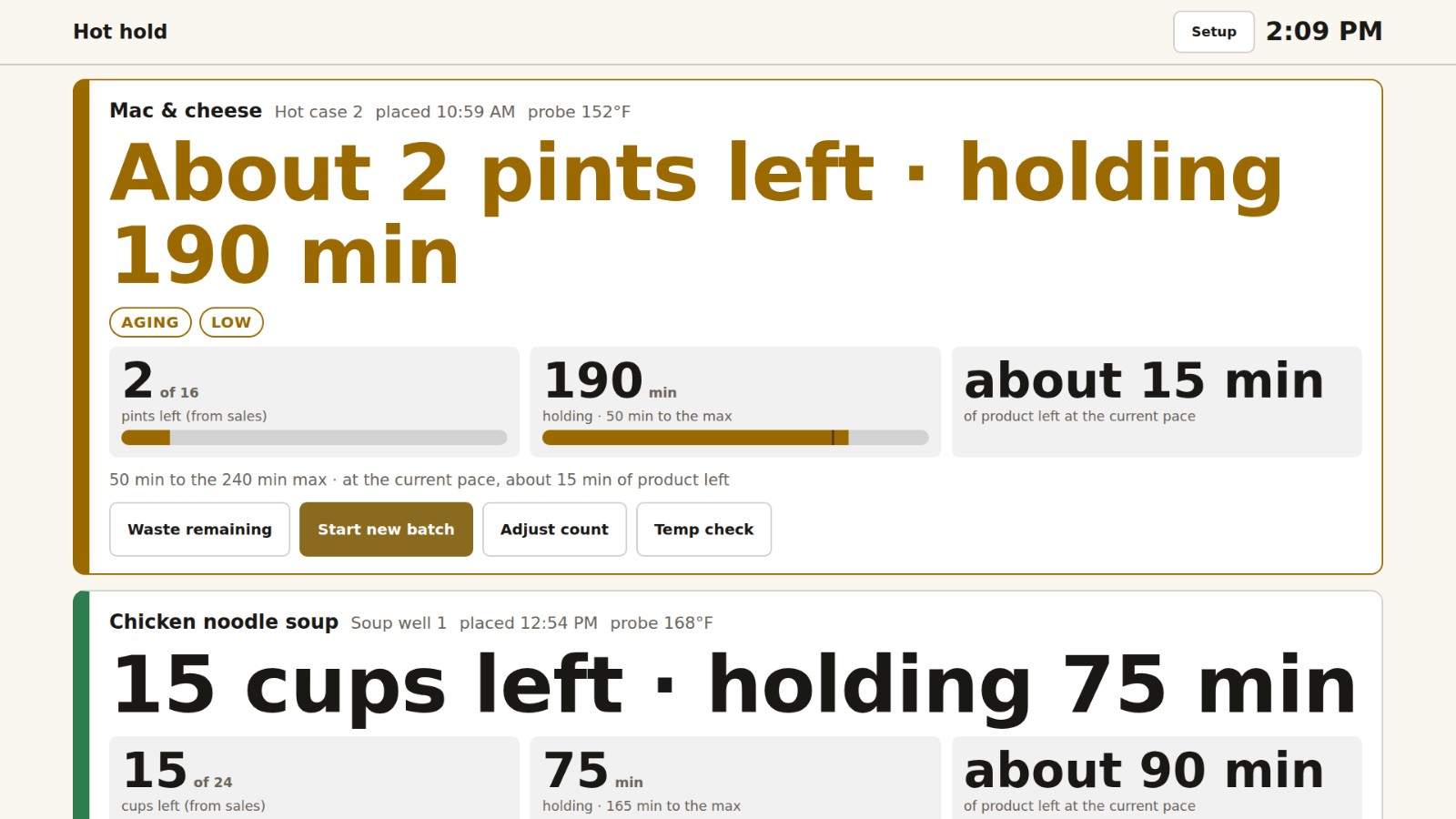
CHEF screen, sample data. Click to see it full size.
Estimates that admit what they are
"About N left" comes from sales, not a sensor, so it says about. A pace estimate only appears with at least three sales in the last 30 minutes and five minutes of holding. Before that the screen says "no pace yet".
Waste that reaches the books
Waste the remainder with a reason: age, quality, temperature or other. If the hold item is linked to inventory, the waste goes into the waste log at unit cost, so food cost sees it.
How it works
Cook, probe and place the batch with its count. A probe below your minimum is refused and written down.
Sales rung in at the register or captured online draw the count down on their own.
The manager watches the board for LOW, AGING and EXPIRED, and re-probes when needed.
At the end of a batch, one action wastes what's left with a reason and starts a fresh one.
What you can change
Hold items
Name, unit label and default start count for each item you hold hot.
Minimum temperature and max hold
Per item, starting at 135 °F and 90 minutes as placeholders, confirmed by an owner who types YES.
LOW and AGING rules
When a batch counts as low (by count or share of the start) and when it counts as aging (share of the max hold).
Register mapping
Which register or menu lines draw down which hold item, and how many units each sale takes.
Inventory link
Link a hold item to an inventory item so waste is costed in the waste log.
Rules CHEF holds to
Your limits, confirmed
The 135 °F minimum and 90-minute hold are starting placeholders. A banner stays up until an owner saves the real numbers from the kitchen's plan and types YES.
Limits travel with the batch
The limits in force at placement are copied into the batch, so changing a setting never rewrites food already on the line.
Too cold stays flagged
A re-probe below the minimum flags the batch until someone records what was done and what happened to the food.
Every change has a name
Waste, new batches and count fixes need a crew PIN, and a count fix needs a reason. The batch is an append-only log of events.
Coming
- A live register trial end to end (sales are tested through the same tables the live register feed writes)
Try CHEF in your browser
The demo runs on sample data, with nothing to install. Or write to [email protected] and tell us how your kitchen runs.