

Platform / Recipe cards and package labels
Recipe cards and package labels
The recipe and the label, at the station where the food is made.
Recipe cards live on the kitchen screen, so a cook reads, scales and prints a card without walking to an office computer. A card can also print the label for a wrapped, grab-and-go item, in the kitchen's own words.
Cards by station
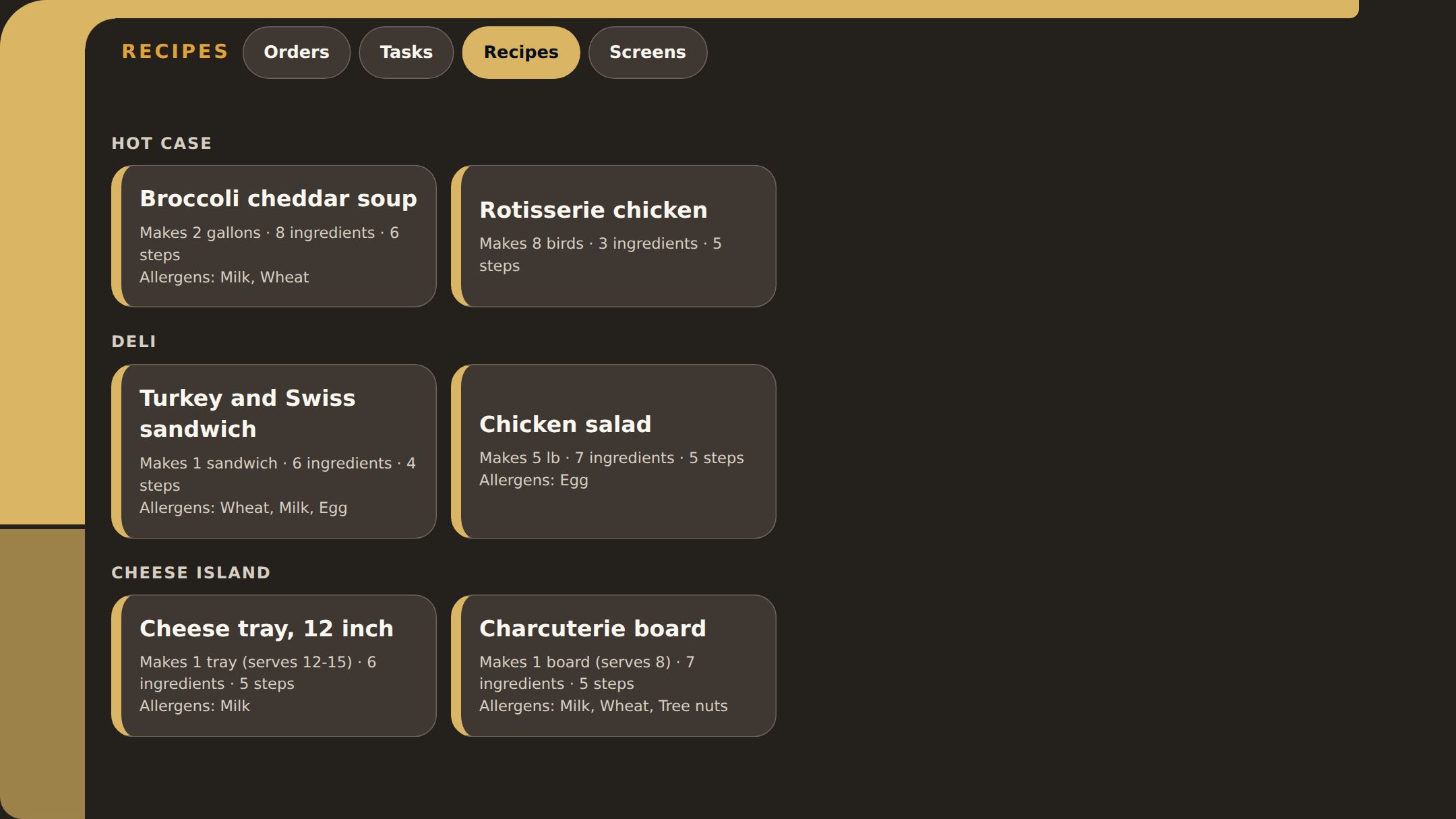
The Recipes tab groups cards by station. Each card shows ingredients, steps, yield and shelf life.
- Read from the kitchen screen, no office computer
- Allergens are shown exactly as the kitchen wrote them; CHEF never says a card is free of anything
Scale by batch
Pick a half, one, two, three or four batches and the amounts scale.
- Times and temperatures stay as written, and the card says so
- A scaled card prints the same way as a normal one
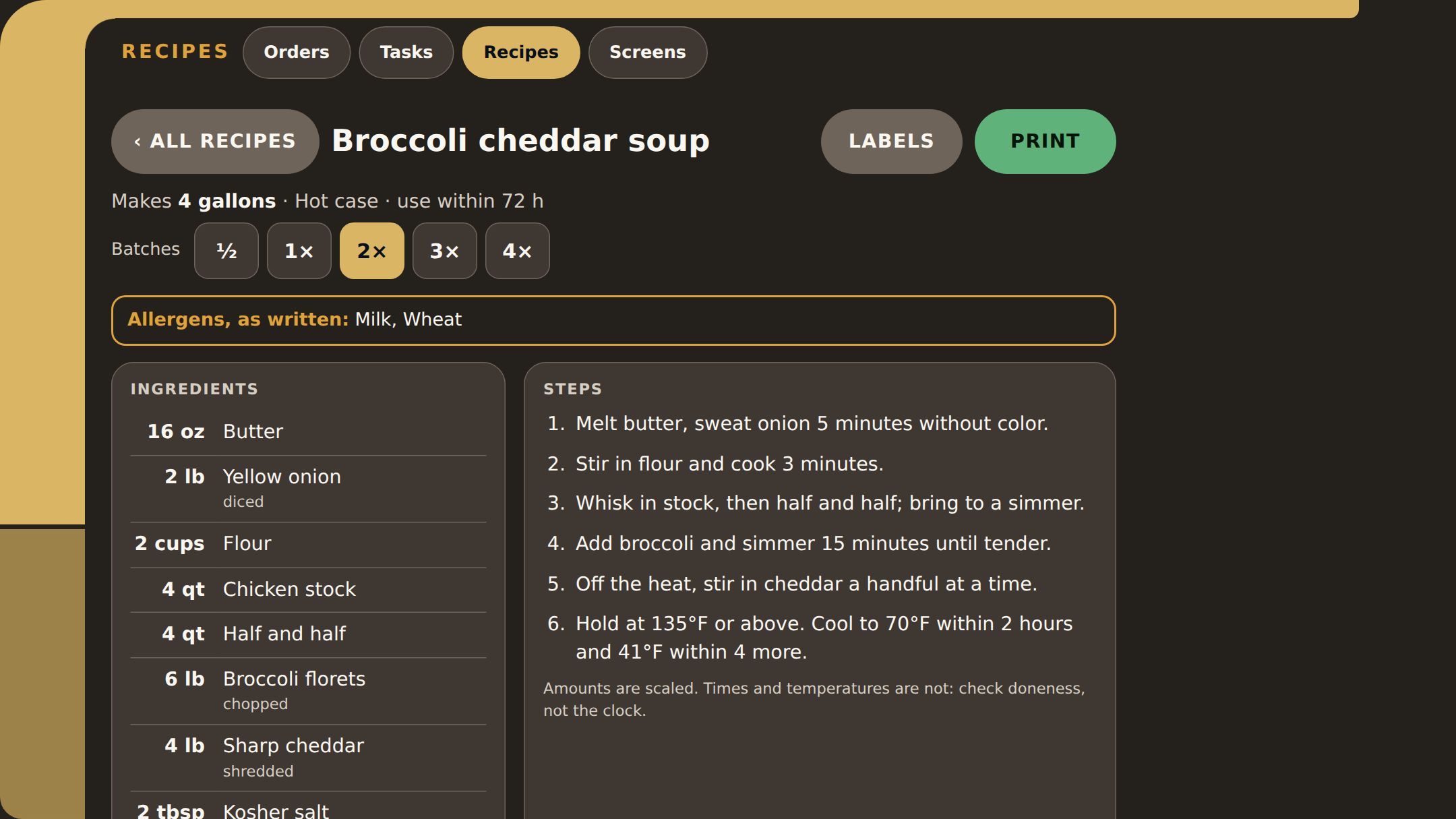
CHEF screen, sample data. Click to see it full size.
Print a card
A crew PIN prints the card on the station printer. A double tap prints once.
- With no printer set up, the page says so plainly
Package labels
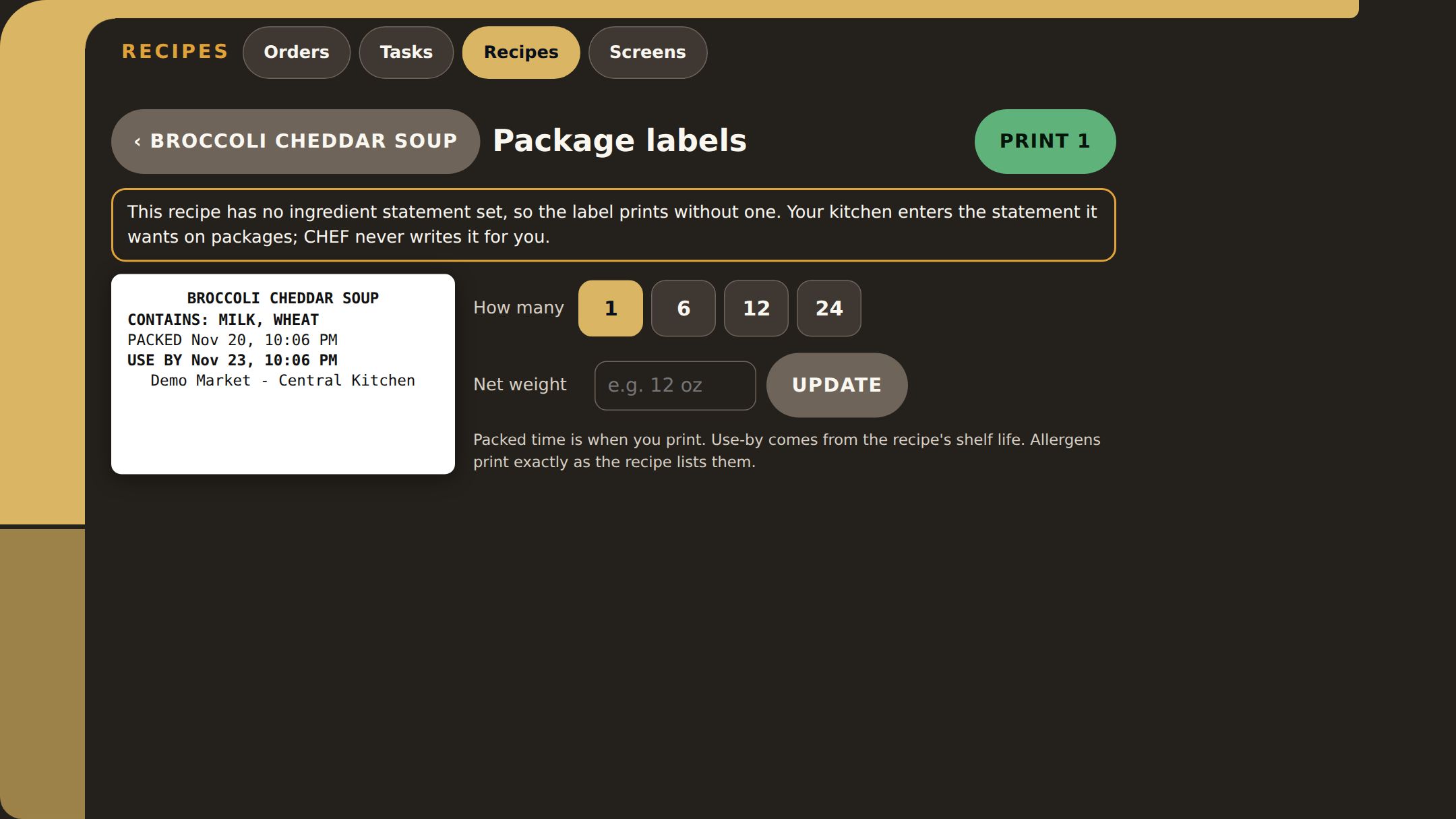
A card can print a sticker for a wrapped item: name, net weight, ingredients, contains, packed, use by, storage and the kitchen name.
- The ingredient statement is the kitchen's own text. CHEF never builds one from recipe lines
- With no statement set, the label prints without one and the screen warns before anything prints
- Allergens print exactly as the recipe lists them
- Print 1, 6, 12 or 24 at a time, behind a crew PIN
- The preview and the paper come from the same lines, so they never disagree
Zebra label printers
A Zebra is added by its store-network address and label width. The store's own server sends each label to it over the store network, so nothing connects in from outside.
- A Zebra gives no printed reply, so a job reads accepted by the printer, not printed
- Text can never carry a printer command
More screens
Real CHEF screens on sample data. Click any one to see it full size.
How it works
Open the Recipes tab on the kitchen screen and pick a card.
Choose a batch size. Amounts scale; times and temperatures stay as written.
Print the card with a crew PIN, or open Labels, check the preview and choose how many.
The label goes to the printer for that station.
What you can change
Batch sizes
Half, one, two, three or four batches, per card.
Label text
Set the ingredient statement, net weight and storage line for each wrapped item.
Label printer
Add a Zebra by its store-network address and pick the label width: 2, 2.25, 3 or 4 inches.
Rules CHEF holds to
CHEF never writes the legal text
The ingredient statement on a label is typed and signed off by the kitchen. It is never assembled from recipe lines.
Never free of anything
Allergens are shown as written. CHEF does not claim a card or a label is free of an allergen.
One tap, one print
A double tap prints once. A count that is not a whole number is refused, not rounded.
Zebra says what it knows
A Zebra port does not report back, so the record says accepted by the printer.
Coming
- Editing recipe cards at the station (today cards are read and printed there)
- Testing on real Zebra, Star and Epson label printers (today it is checked against a simulated printer and a real network socket)
Try CHEF in your browser
The demo runs on sample data, with nothing to install. Or write to [email protected] and tell us how your kitchen runs.