

Platform / Production runs
Production runs
Make 30 of something, and know how long it sat out.
A lead picks a recipe and a number, say 30 sandwiches. CHEF scales the recipe, keeps a copy of it as it was made, and lets the crew join from their phones to pull ingredients. While the food is out, a clock counts the minutes it has spent in the danger zone, and it keeps counting until someone logs it back under control.
The recipe, scaled and kept
The run takes your recipe lines and scales them to the target. The math is shown, and it never rounds below what the batch needs.
- Counts like each or case round up to whole ones.
- The snapshot means tomorrow's recipe edit doesn't rewrite today's batch.
Crew join by QR and PIN
The lead shows a code. Crew scan it and type the PIN they clock in with. The scan gets them to the run; the PIN is what says who they are.
- Wrong PINs hit the same five-tries lock as the time clock.
- Scanned case labels can carry the lot and use-by date, so pulls are tied to a lot.
- A double scan by the same person counts once, and pulled stock comes off inventory exactly once.
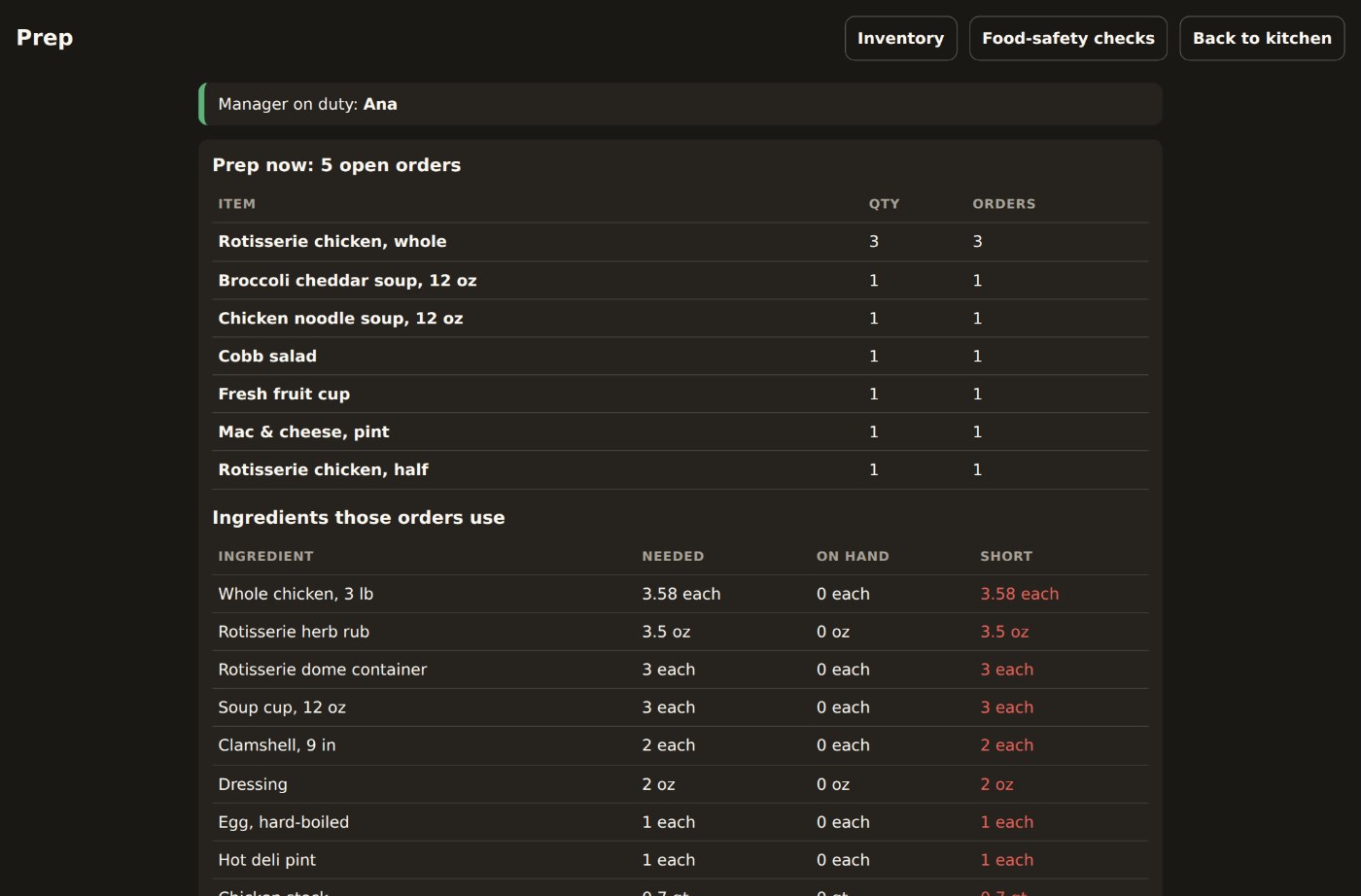
CHEF screen, sample data. Click to see it full size.
A clock that silence can't stop
Each temperature-sensitive item gets its own cumulative clock. It pauses only when someone logs a return to cold storage or a hold, with a passing temperature.
- Watch and alert points are fractions of the time limit you set.
- A failing probe never pauses the clock. The choices are re-probe or discard.
- An item past its time limit has to be discarded. Another kind of corrective won't clear it.
Prompts that say what they checked
CHEF looks at raw-to-ready-to-eat order, allergen changeovers between runs, temperatures on file for what was pulled, and the finished-product temperature. Each prompt names the rule and the data behind it.
- If the data for a rule is missing, the run says "not checked" and why. You never get a quiet green.
- A recalled or past-use-by lot cannot be pulled.
Finish and route it
Completing a run records the actual yield, any waste and where the food went: to cold storage, to hot-hold, or to the line. Hot-hold output becomes a new batch on the manager's board.
How it works
The lead starts a run: recipe, quantity, station, due time and who is on it.
Crew scan the QR, enter their PIN and pull ingredients, scanning cases as they go.
The danger-zone clock runs for every temperature-sensitive item until it is returned or held at a passing temperature.
Crew work the steps and probe the finished product.
The lead completes the run with the actual yield and sends it to cold, hot-hold or the line.
What you can change
Danger-zone band
The low and high temperatures of the band (starting at 41 and 135 °F). Owner only.
Time limit and warnings
The cumulative minutes allowed out of temperature, plus the watch and alert points as a share of it. Owner only. A run in progress keeps the numbers it started with.
Temperature-on-file window
How many hours back CHEF looks for a receiving or probe reading on what was pulled.
Per item
Whether an item is temperature-sensitive, its own time limit, raw or ready-to-eat class, allergens and storage location.
Per recipe
Steps (work, raw, clean, ready-to-eat), station, equipment, unit label, yield percentage, default route, linked hot-hold item and finished-temperature rule.
Lots and recalls
A lead records a lot's use-by date or marks it recalled, and it can no longer be pulled. Every change is logged.
Who is on a run
The lead assigns up to 12 crew to a run.
Rules CHEF holds to
Every limit is yours
The 41 to 135 °F band, the time limit and the alert points are placeholders until an owner sets them from the kitchen's own food-safety plan. CHEF states no legal limit.
Prompts are prompts
No active alerts does not mean safe. A confirm tap records that someone said they did something. It is not proof.
Nothing is edited
The run is an append-only event log. The clock, pull totals and status are worked out from it, so a reloaded tablet shows the same numbers.
Per-person figures stay private
They stay on the manager's record. They are not ranked and not shown on a shared screen.
Coming
- The lead's run screen and the crew phone pull screen (the run engine, rules and API are built and tested; the screens are being finished)
- Production prompts on the bridge alongside hot-hold and food safety
Try CHEF in your browser
The demo runs on sample data, with nothing to install. Or write to [email protected] and tell us how your kitchen runs.