

Platform / Inventory and costing
Inventory and costing
What's on the shelf, what came in the door, and what each plate costs.
CHEF keeps one stock record that sales, waste, deliveries and counts all write to. From it you get on-hand, plate cost, a suggested price when an ingredient moves, and a usage check that tells you when stock is leaving without a sale behind it.
On-hand you can trust
On-hand is worked out, never typed in. It is the last count plus every sale, delivery and waste logged since.
- Each accepted, paid order takes its recipe out of stock automatically.
- An item nobody counted keeps its working number. Not counted is never written as zero.
- Stock records are only ever added to. A wrong entry is fixed by the next count, not by editing history.
Counting as a team
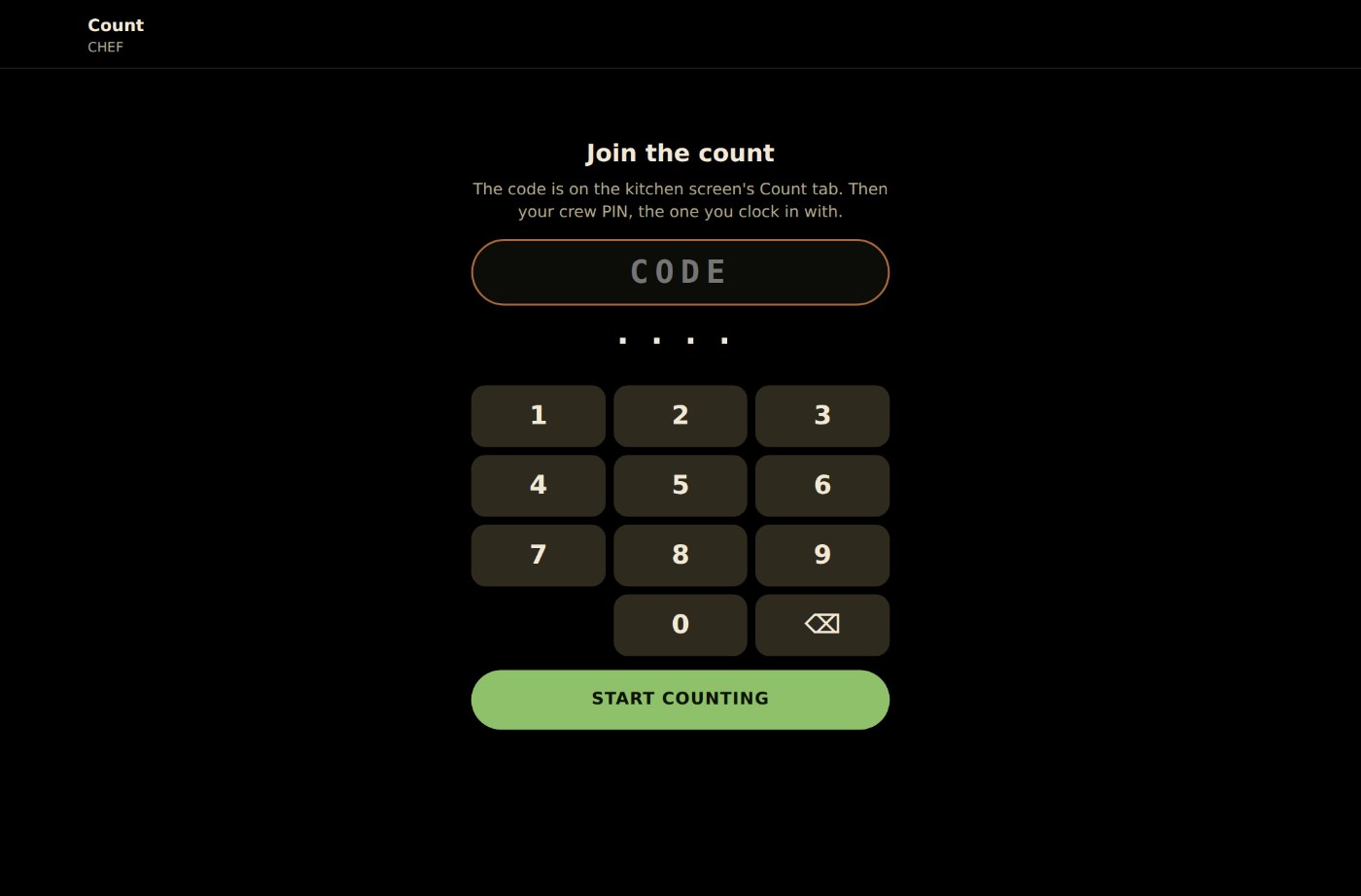
The kitchen screen opens a count. Phones join with a short code or a QR and the crew member's PIN, and everyone counts at once.
- The screen shows the combined count live as people work.
- Two people counting two coolers each hold half the cheese, so their counts add together.
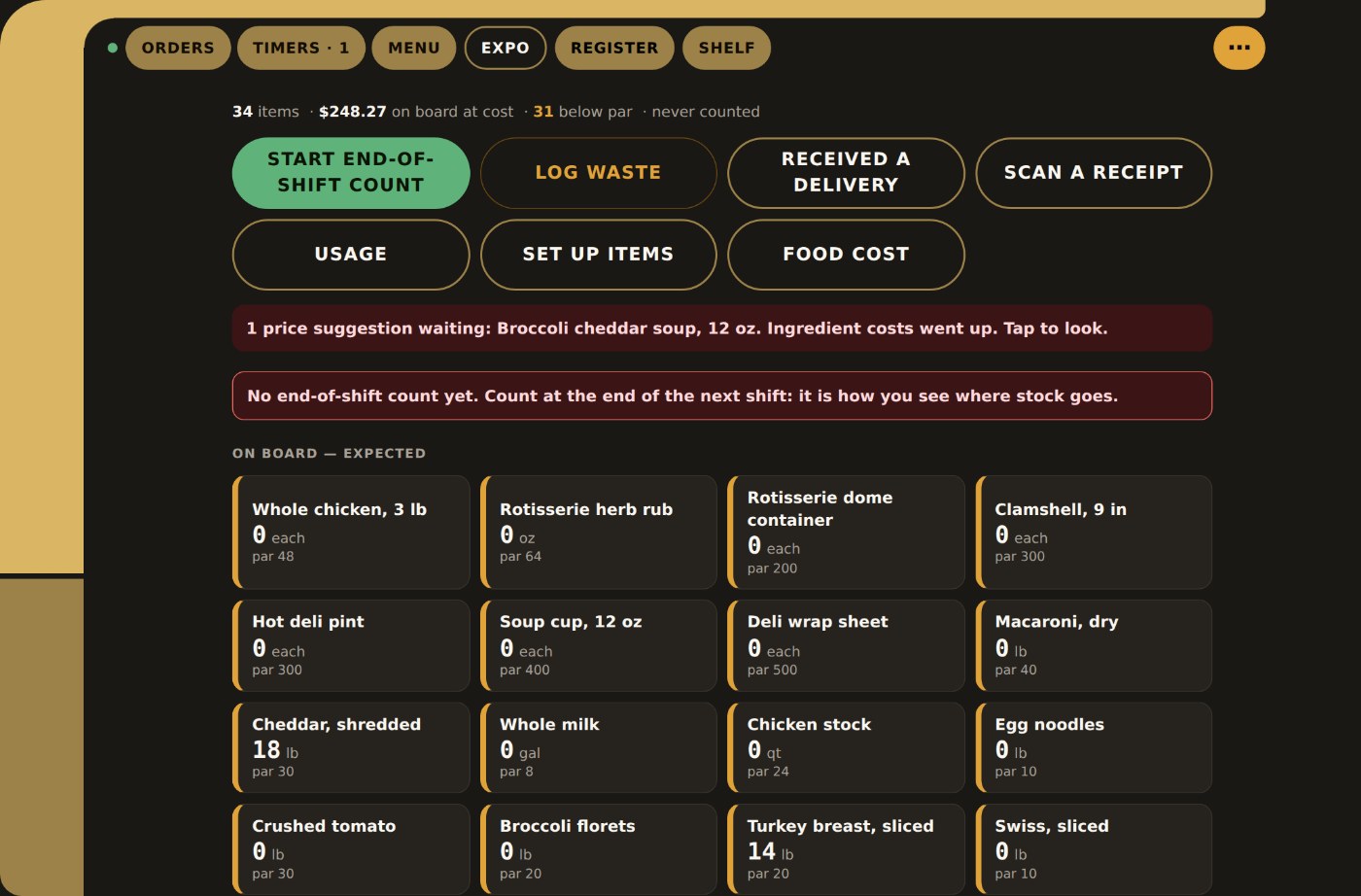
CHEF screen, sample data. Click to see it full size.
Receiving, down to the receipt
Snap a photo of the supplier receipt on the kitchen screen or a crew phone. A local vision model reads the lines and matches them to your items.
- Nothing reaches stock or cost until a person checks each line and taps Receive or Ignore.
- A line whose quantity times price doesn't match its total is flagged, with both numbers shown.
Plate cost and price suggestions
Each menu item gets a plate cost from its recipe and today's ingredient costs, and a food-cost percentage against its price.
- When an ingredient pushes an item over your target, CHEF suggests a new price, rounded up to the ending you pick.
- If any ingredient has no cost, the item says so instead of showing a plate cost that's too low.
- A suggestion never changes a price. The owner approves it with their PIN, and the change is recorded.
Usage against recipe
Between two counts, CHEF compares what you actually used with what the recipes say your sales used.
- The gap is shown in units and in dollars at the cost at the time.
- An item is flagged only after it runs over your threshold two counts in a row, not after one bad night.
- The screen says check portions. It reports a gap and never accuses anyone.
More screens
Real CHEF screens on sample data. Click any one to see it full size.
How it works
A delivery arrives. Someone photographs the receipt, checks each line, and taps Receive. Stock and costs update.
During service, sales take their recipes out of stock, and waste, spoil and comps are logged with a reason at the screen.
At close, the screen opens a count and the crew count from their phones at the same time.
After the count, usage shows any item running heavy, and costing shows any plate that has drifted over target.
What you can change
Items, units and pars
Add your own stock items with their unit, barcode and par level, and retire ones you no longer carry without losing their history.
Recipes
Say how much of each item one menu item uses, so sales take the right amount out of stock.
Pack sizes
Tell CHEF how many units come in a case, so receiving by the case turns into a per-unit cost.
Food-cost target
Set the food-cost percentage you aim for (30% to start). Price suggestions work to it.
Price endings
Choose how suggested prices round up: .25/.49/.75/.99, quarters, whole dollars, or to the cent.
Usage threshold
Set how far over recipe an item may run before it's flagged (10% to start).
Rules CHEF holds to
A reading is a suggestion
A receipt line never reaches stock or cost without a person's confirm.
No count, no claim
An item counted at only one end of a period gets no usage figure, and a kitchen that hasn't counted lately is told so instead of seeing stale numbers.
Prices round up
A suggested price rounds up to your ending, never down, so it can't land back under target.
Square stays in charge of Square prices
If your menu syncs from Square, approving a price in CHEF is refused with a note to change it in Square, so the next sync doesn't overwrite it.
Try CHEF in your browser
The demo runs on sample data, with nothing to install. Or write to [email protected] and tell us how your kitchen runs.