

Platform / Doors, lights and power
Doors, lights and power
The walk-in door, the light left on, the circuit that went dead. Watched all day.
A kitchen has dozens of small things that must be right all day, and nobody has time to watch forty sensors. CHEF watches door contacts, lights and power readings, says what it saw and how sure it is, and suggests the next step to a person. It is built and has been run with simulated sensors. No real sensor has posted to it yet.
What it watches
Each sensor is set up as a point with a role, and CHEF judges it against limits for that role.
- Doors: walk-in, freezer, reach-in, back, exterior. How long open, how often opened, open after hours.
- Lights: how long on, minutes on today, on after hours, lamp hours used against rated life
- Power: watts now, kWh today, a circuit that should be running and isn't, an appliance drawing after close
Cold chain gets priority
Walk-in, freezer and reach-in doors are marked cold chain by default, and you can mark a walk-in's compressor circuit the same way. A cold-chain alarm goes to the top of the bridge as critical.
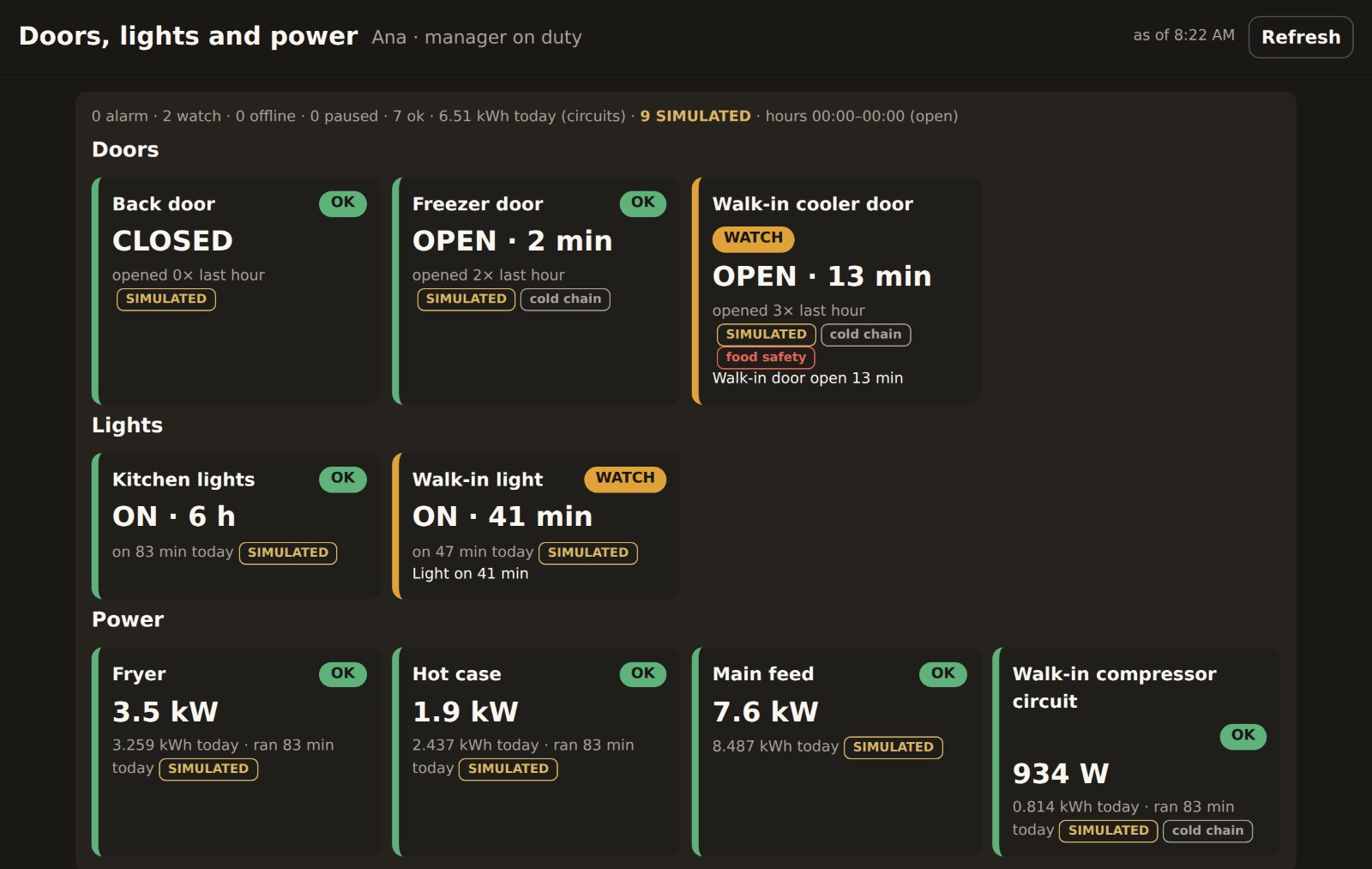
CHEF screen, sample data. Click to see it full size.
Suggestions, with a person deciding
When something is off, CHEF files one open suggestion for it, such as "close it and probe". Anyone can mark it done. Dismissing a food-safety suggestion takes a manager on duty and a reason.
The crew can correct it
Sensors are evidence, not the final word. If a cook taps "It is closed", that is recorded next to the reading and wins until a newer reading arrives. A manager can pause a point with a reason.
How it works
The walk-in door is propped during a delivery. At five minutes it goes to WATCH.
At fifteen minutes it becomes a critical alert on the bridge, and CHEF suggests closing it and taking a probe reading.
A cook closes the door and probes the walk-in. The probe writes the real temperature into the food-safety log.
The door sensor reports closed and the alert clears on screen.
What you can change
Points
Add each door, light or power reading as a point with a role, such as walk-in door, exterior light or appliance circuit.
Cold chain
Turn cold-chain priority on or off per point. It is on by default for walk-in, freezer and reach-in doors.
Thresholds
Replace the placeholder watch and alarm times for each point with your own.
Opening hours
Set open and close times so CHEF can judge doors, lights and appliances after hours. With no hours set, it makes no after-hours judgement.
Link to a unit
Link a point to an equipment unit, so its suggestion opens the probe page on that unit.
Pause a point
A manager can pause a point, with a reason, while it is being worked on.
Keys
Mint a gateway key for the kitchen's sensors, and a separate read-only key for the managed service.
Rules CHEF holds to
Never switches anything
No operation turns off a light, locks a door or cuts a circuit, and CHEF makes no outbound connection to devices. Tests check both.
It does not invent temperatures
An open door never writes a temperature into your HACCP log, because CHEF did not measure one. It asks for a probe reading instead.
Quiet means offline
A sensor with nothing recent shows OFFLINE with its last-known state labelled. A silent gateway takes its sensors offline and raises one alert.
Simulated stays labelled
Test data is stored as simulated, and every screen says so.
Placeholder limits
Every threshold is a labelled starting value until a manager sets the kitchen's own.
Coming
- Connection to real sensors and meters, from a maker's published format or a small bridge on the kitchen's side
- Occupancy, water leak and room temperature sensors
Try CHEF in your browser
The demo runs on sample data, with nothing to install. Or write to [email protected] and tell us how your kitchen runs.