

Platform / Printing and labels
Printing and labels
Tickets, prep lists and labels on the printer that is already there.
CHEF prints kitchen tickets and the rest of the kitchen's paperwork on Star and Epson network printers. The printer checks in with CHEF on its own, so it works on a store network or a phone hotspot without anyone opening a port.
What it prints
Kitchen tickets, plus the paperwork a shift runs on.
- Kitchen tickets and carry tickets for pay-at-register orders
- Prep lists, hot-hold labels, day labels and prep date labels
- Food-safety sheets, waste slips, receiving checklists and work orders
- An end-of-day summary with prime cost as percentages only
Each job to the right printer
Name your printers by role: kitchen line, expo, front counter, label or office. Each document has a home role and a fallback.
- A printer that is checking in is picked over one that isn't
- A manager page shows each printer's role and when it was last heard from, and reprints anything
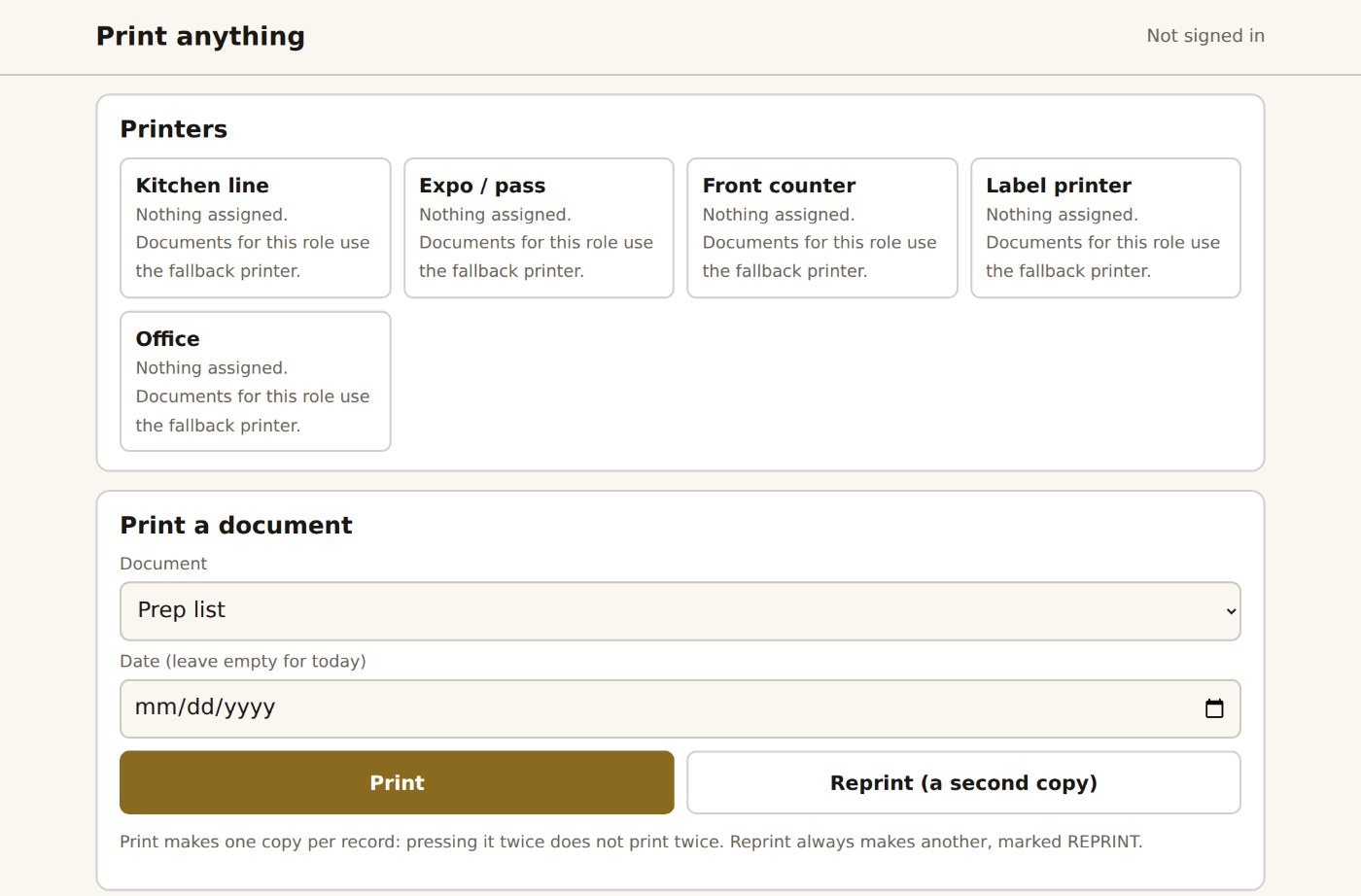
CHEF screen, sample data. Click to see it full size.
Readable on thermal paper
Text is set to the paper's width and kept to characters a receipt printer can print. Long words wrap. Numbers print big. Times are in your store's time zone.
- Carry tickets carry a barcode of the ticket code, with the code in big type for the register to key in
Pay at register
An optional mode, off until the owner turns it on. Staff take an order at the counter, the kitchen gets its ticket, and the guest carries a second ticket to the register.
- CHEF marks it paid when the register reports the sale, or staff mark it paid
- Tickets left unpaid raise an alert after 15 minutes
Zebra label printers
A Zebra is added by its store-network address and label width. The store's own server sends each job to it, so the cloud never connects into the store.
- Text can never carry a printer command
- A Zebra gives no printed reply, so a job reads accepted by the printer
How it works
Add a printer from the printer settings and give it a role.
Point the printer at the address CHEF shows once.
Print a test page, then a carry ticket, and scan it with the register's own scanner before a guest carries one.
From then on tickets print as orders are accepted, and anything can be reprinted from the manager page.
What you can change
Printer roles
Give each printer a role: kitchen line, expo, front counter, label or office.
Paper width
Set each printer's width from 24 to 64 characters, and every document lays out to fit.
Routing
Send any document type to a different role at your site, with a fallback if that printer is down.
Time zone
Printed times follow your store's time zone.
Pay at register
Off by default. The owner turns it on, chooses whether those tickets print, show on the kitchen display or both, and sets when an unpaid ticket raises an alert.
Stations
A station can opt out of pay-at-register tickets.
Shelf life
Set shelf life per item for prep labels. Until you do, the label prints PLACEHOLDER.
Barcode
Code 128 by default. A QR option prints on Epson; Star falls back to the printed code.
Rules CHEF holds to
One print per order
Each order or document prints once on its own. A reprint is marked ** REPRINT ** so nobody cooks it twice.
Paper out isn't lost
A job that fails goes back in the queue for up to three tries. A printer that goes quiet, or a job stuck in the queue, raises an alert.
Guest tickets carry guest facts only
A carry ticket has no room for a crew name, a cost or a margin. Kitchen prints show crew first names only, and wages never print anywhere.
Unpaid isn't counted as sales
A pay-at-register ticket stays out of sales and food cost until it's paid. Food cooked and never paid for is written off as waste at cost.
Coming
- Testing on real Star and Epson printers (today it is checked against the makers' command references and a simulated printer)
- True label-printer mode (label printers get a compact receipt-style print for now)
- Star's native barcode, which stays off until a test print proves it
Try CHEF in your browser
The demo runs on sample data, with nothing to install. Or write to [email protected] and tell us how your kitchen runs.