

Platform / Prime cost
Prime cost
Labor plus food for today, while there's still time to do something about it.
Prime cost is labor plus food, and it's the number most kitchens find out about a month late. CHEF works it out for the day so far, from the crew clock, what sold and what got thrown out. Every figure arrives with the inputs behind it.
Labor, hourly and salaried
Hourly labor comes from the crew clock at each person's rate in force. Salaried people are a flat daily figure on each day the site is open.
- Someone still on the clock counts up to now.
- A mid-shift raise is paid from the moment it takes effect.
- A salaried person's punches never drive their cost and are never counted twice as hourly.
- Wages only by default. Payroll tax and benefits are left out unless you set a burden, and the screen says so.
Food, sold and wasted
Food cost is the plate cost of what sold, plus every waste, spoil and comp logged today, shown side by side.
- Sales are net of refunds and voids, with tips left out.
- A fully refunded sale counts as nothing. Unaccepted orders never count.
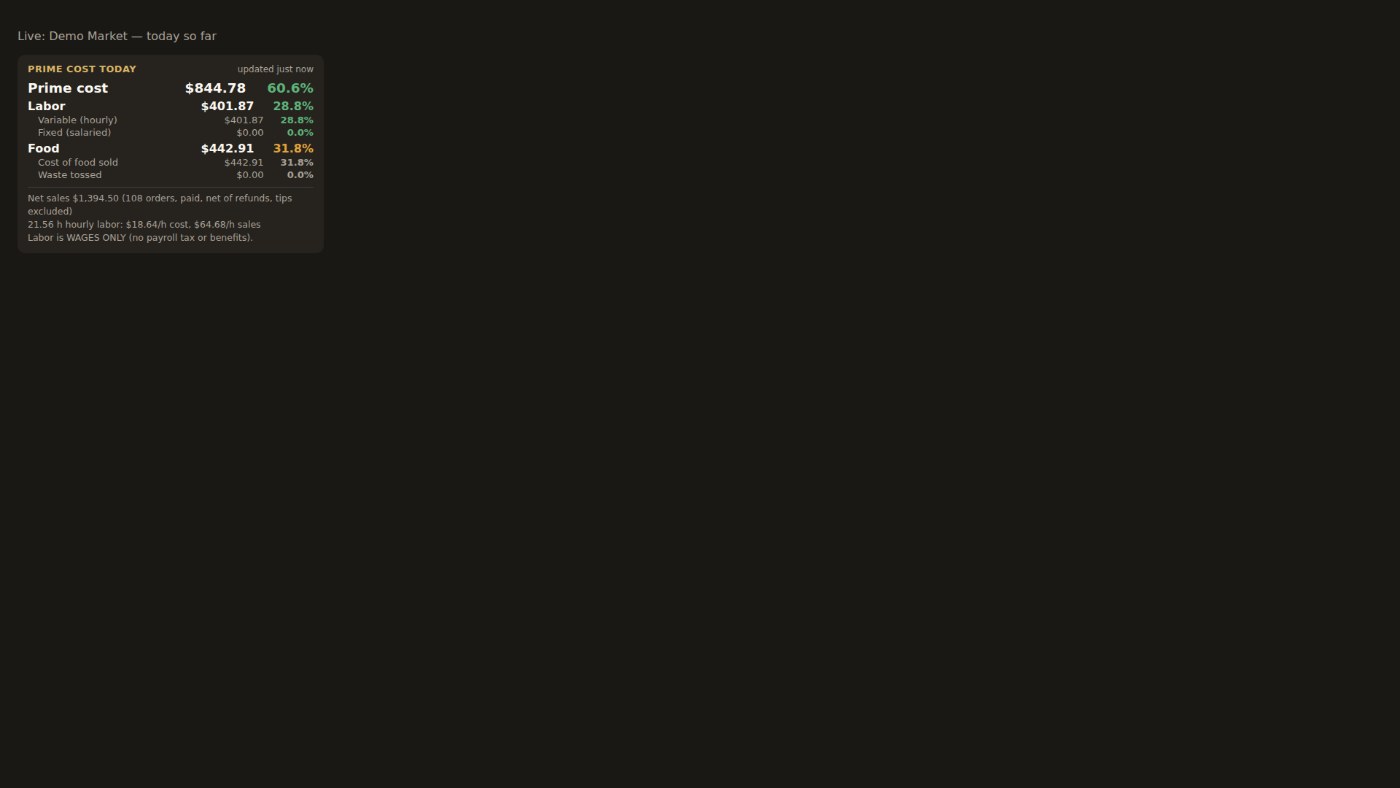
CHEF screen, sample data. Click to see it full size.
Your day, your clock
The operating day runs in the site's own time zone from the start time you pick. A 1 a.m. close stays on the right day, and daylight saving is handled.
Gaps are shown, not hidden
A missing number is called out in plain words instead of being counted as $0.
- "1 person has no wage rate, 4 h not costed."
- "3 items sold with no cost on file."
- A forgotten clock-out stops counting at 16 hours and is flagged.
- An incomplete figure can never read ok.
More screens
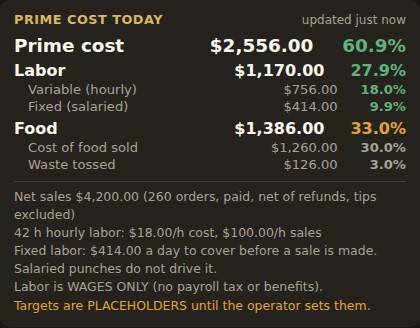
Real CHEF screens on sample data. Click any one to see it full size.
How it works
The crew clock in. Labor starts adding up at their rates.
Orders sell and waste gets logged. Food cost follows.
The prime cost panel shows labor, food and prime cost against target as ok, watch or over.
Mid-afternoon, a day running hot shows up in time to adjust the evening.
What you can change
Targets
Set labor, hourly, salaried, food and prime cost targets, and how many points over counts as watch. Then mark them as your real targets.
Operating day
Set the site's time zone and the time the day starts, so a late close lands on the right day.
Open days
Pick which weekdays the site is open. Salaried cost is counted on those days only.
Salary spread
Set how many days a year or a week a salary is spread across.
Payroll burden
Add a percentage for payroll tax and benefits, or leave it at wages only.
Sales floor and shift cap
Set the minimum sales before percentages show, and the hours after which an open punch stops counting.
Wage rates and salaries
Hourly rates by person, position or both, and salaries by year or week, each dated from when it takes effect. These are set up for you today; there is no screen to edit them yet.
Rules CHEF holds to
Totals only
The result carries totals. No names, no per-person rate or pay, nothing logged. Boards and crew screens never read pay data.
Manager screen only
On a day with one hourly person on, a total can reveal their rate, so prime cost belongs on the manager's display, not a shared crew board.
No wild ratios
Below a minimum of sales for the day, percentages read n/a instead of a scary number.
Targets are yours
Starting targets (labor 30, food 30, prime 60) are placeholders, and the screen says so until you set your own.
Fail loud
If figures can't be loaded, the screen shows an error. It never shows zeros.
Coming
- Placing the prime cost panel on the manager screen (the panel is built and runs on a demo page today)
- Entering wage rates, salaries and settings from a screen (today they are set up for you, not edited in CHEF)
- A closure calendar for holidays (today only regular open weekdays are set)
- Register sales from Square counted in net sales
Try CHEF in your browser
The demo runs on sample data, with nothing to install. Or write to [email protected] and tell us how your kitchen runs.