

Platform / The bridge
The bridge
Everything that needs a person right now, on one list, worst first.
A kitchen has a dozen places a problem can start. The bridge pulls them onto one list, ranked by how much they matter, so a manager can look at one screen and know what to deal with next. And when a new paid order comes in while nobody is watching the kitchen screen, CHEF goes looking for someone.
One list from every corner
Each time the bridge checks, it reads every part of CHEF that can raise a concern and sorts what it finds as critical, warning or info.
- Hot-hold batches aging or expired
- Food safety: a stale temperature log, an uncorrected out-of-range reading, a failed cooling step, an opening checklist not done
- Staffing: no manager on duty, someone late for a shift
- Labor and food cost running against target
- Large or catering orders due in the next few hours
- Screens that have gone quiet, kiosk tickets waiting for release
- Doors, lights and power, and stale cost data
Silence is never all clear
If a part of CHEF cannot be read, that becomes its own alert, such as "Hot-hold feed unreadable". Whatever it last reported stays on screen, marked last-known, until it can be read again. Food safety only shows green when every required item is done and recent.
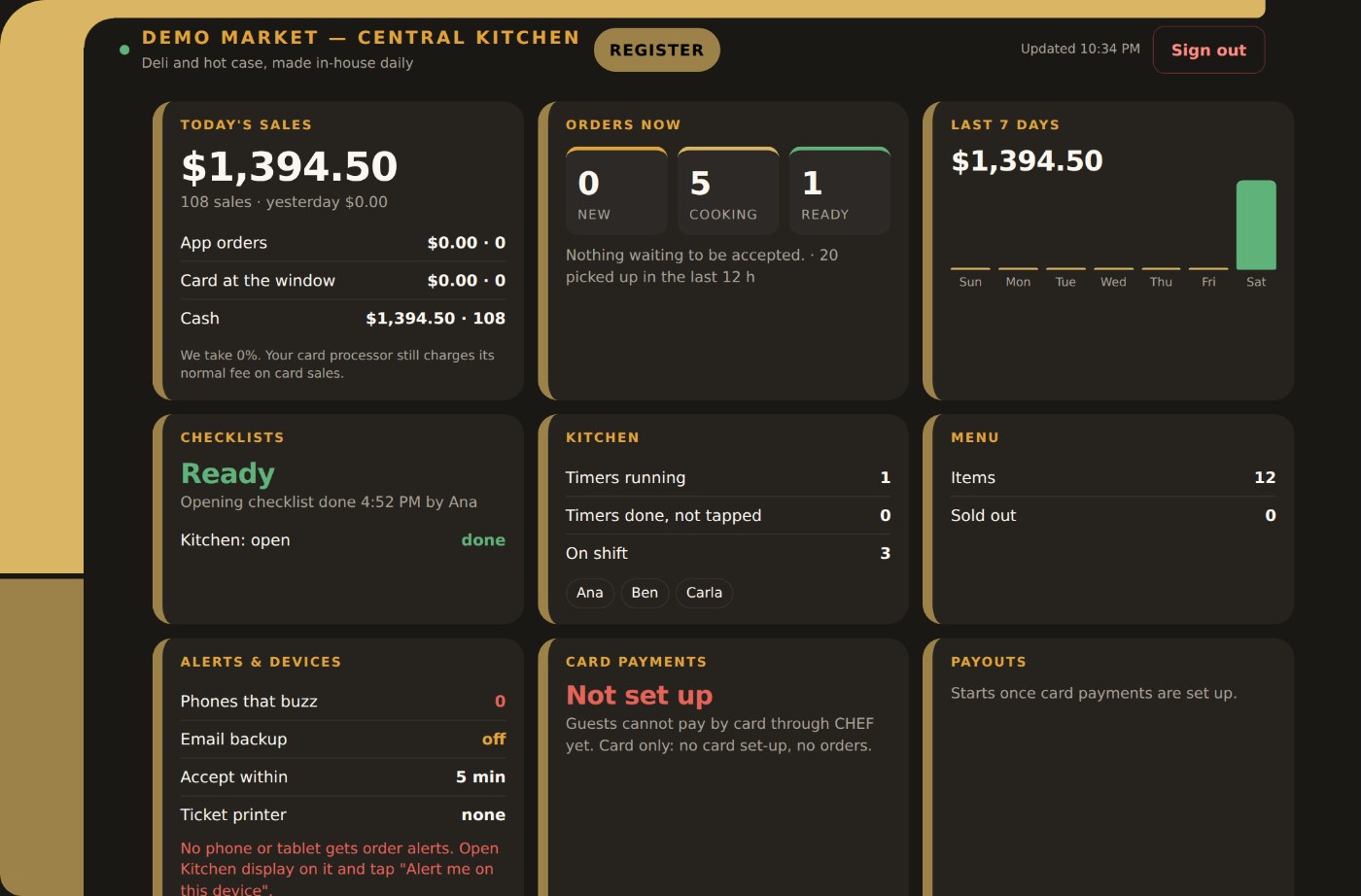
CHEF screen, sample data. Click to see it full size.
Acknowledged, never erased
A manager can acknowledge an alert. CHEF records who and when, and the alert stays visible until its condition actually clears. If the same problem comes back later, it is a new alert and the old acknowledgement does not cover it.
New-order alerts that find someone
When a new paid order arrives, CHEF sends a push notification to every phone or screen the kitchen opted in. If no device receives it, CHEF emails the kitchen's alert address. Every attempt is written to the order's record, so "did the kitchen know?" has an answer.
How it works
The walk-in door has been open 16 minutes and a catering order is due in 25. Both land at the top of the bridge as critical.
The manager closes the door, probes the walk-in, and acknowledges the door alert with their name.
The catering alert stays up until the order is out. It cannot be waved away while it is still true.
Meanwhile an online order comes in. The phone in the lead's pocket buzzes, even though the kitchen screen was asleep.
What you can change
Your own thresholds
How old a temperature log can get, when a checklist is overdue, when a screen counts as offline and how far ahead big orders show are starting values set in the bridge.
Manager positions
Mark which crew positions are managers. They can acknowledge alerts, and the no-manager-on-duty alert uses the same list.
Which screens to watch
Register each kitchen screen or box so the bridge can tell you when one goes quiet.
Scheduled and catering orders
Orders entered with a due time, by a manager or from catering, feed the upcoming-orders alerts.
Phones that get order alerts
Each phone or kitchen screen opts in to push alerts from the Orders board.
A backup email address
Set an alert email for the kitchen. It is used only when no device received the push.
Rules CHEF holds to
Derived fresh every time
Alerts are worked out from live conditions on every check. They persist while true and clear when the condition does.
Acknowledging needs a manager
Only a manager-position crew member can acknowledge, and the record is append-only.
Starting values are labelled
Thresholds like a four-hour temperature log and a three-hour order window are starting points. Your own plan sets the real ones.
An alert problem never touches the order
If push or email fails, that is logged. The order itself is never failed or lost because of it.
Email sent means handed off
CHEF records an email as handed to the mail service, which is not the same as read. It is labelled that way.
Try CHEF in your browser
The demo runs on sample data, with nothing to install. Or write to [email protected] and tell us how your kitchen runs.