

Platform / Crew clock
Crew clock
Punch in from any CHEF screen. No time-clock box on the wall.
Hold the top-right corner of any CHEF screen for a second, enter your PIN, and you're clocked in at that location in your position. The same punches feed hours for payroll export and live labor cost, so there's one record of who worked when.
One PIN, every site
Crew belong to the business, not the screen. One PIN works at every location you run, whether that's a truck, a commissary, a catering kitchen or a restaurant.
- Pick a position at clock-in if you work more than one.
- Clock-out inherits where and as what you clocked in, wherever you happen to punch out.
Clock in from a phone
The kitchen screen shows a QR code. A crew member scans it, types their PIN on their phone, and is clocked in or out at the screen.
- The code changes every minute, and only this minute's or the last one's works, so a photo of it is useless later
- It is the same punch as the screen's own clock: same PIN lock, same positions, same record
- Nothing is stored on the phone
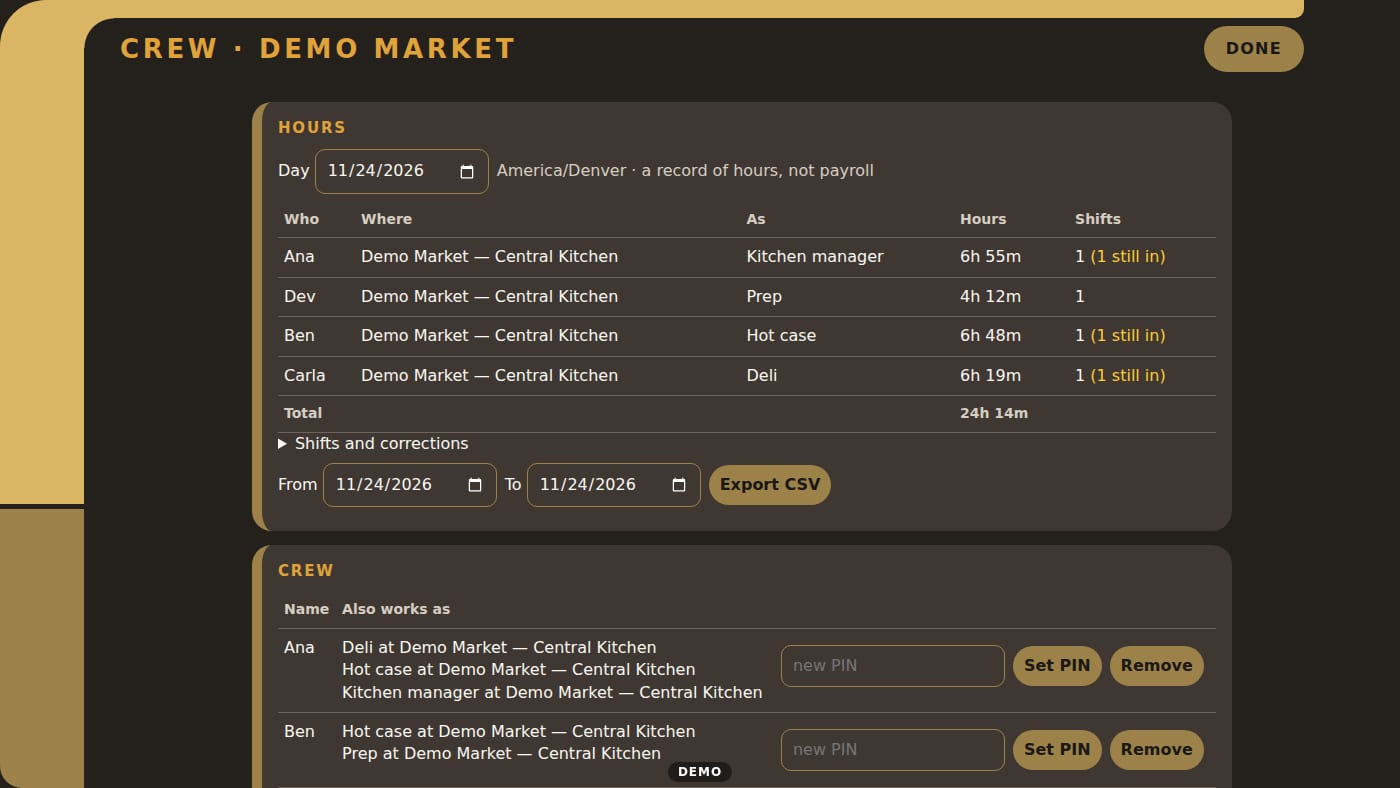
CHEF screen, sample data. Click to see it full size.
Punches are never edited
A mistake is fixed with a correction that points at the punch it amends, plus an audit entry. Nothing is changed or deleted.
- A forgotten punch or a wrong time is corrected, and the original stays on the record.
Hours out, as a CSV
Hours roll up for the owner and export as a CSV file for whoever runs payroll.
- CHEF is not a payroll system. It keeps the time; your payroll provider pays people.
PINs that stay separate
A crew PIN can't match the owner's exit PIN for a locked screen, so a clock-in can never double as a way out of the kiosk.
- PINs are stored as keyed hashes, never as the PIN itself.
Time and HR sync
Hours crew record on CHEF screens are meant to flow straight into the HR platform you already use. Each punch is meant to go to your HR platform, matched by employee ID, never by name. Your HR platform keeps pay rates, pay rules and overtime; CHEF records the time.
- Corrections are approved under your own policy and every change is logged.
- Planned, not built: Dayforce first, then UKG Pro Workforce Management, Paylocity, ADP Workforce Now and Paycom. Until then, hours export as a CSV.
- To get ready you'll need an admin who can create an API (web services) user in your HR platform, an employee ID for each person, your location and job or pay codes, and your break policy.
- Product names are trademarks of their owners. Listing a platform does not mean a partnership or endorsement.
How it works
Hold the top-right corner, enter your PIN, pick a position if asked.
The card shows your first name and "Clocked IN" with the time in the site's time zone. Never wages.
At the end of the shift, the same hold and PIN clocks you out.
The owner exports the period's hours as a CSV for payroll.
What you can change
Locations
Add locations such as a truck, commissary, catering kitchen or restaurant, and link your other trucks.
Positions
Add positions, set a default for each location, and say which positions each person can work where.
Crew
Add people with their own PIN, and remove them. A removed PIN can be reused.
Corrections
Fix a missed or wrong punch with a correction that keeps the original on record.
Hours export
Pick a date range and export hours as a CSV for payroll.
Rules CHEF holds to
Five tries
Five wrong PINs at a location lock that location's clock for five minutes.
One tap, one punch
A double tap is one punch. The next deliberate tap is the clock-out.
Append-only
Corrections are new entries with an audit trail. History is never rewritten.
Not payroll
CHEF records time and exports it. It does not run payroll or pay anyone.
At the screen, not from the car park
The QR code carries a code that expires within two minutes, so a clock-in has to happen while someone can see the screen.
Coming
- Sending punches to your HR platform by employee ID: Dayforce first, then UKG Pro Workforce Management, Paylocity, ADP Workforce Now and Paycom (planned, not built)
- Phone clock-in needs the phone to reach the CHEF server, which on a store server means the store Wi-Fi
Try CHEF in your browser
The demo runs on sample data, with nothing to install. Or write to [email protected] and tell us how your kitchen runs.